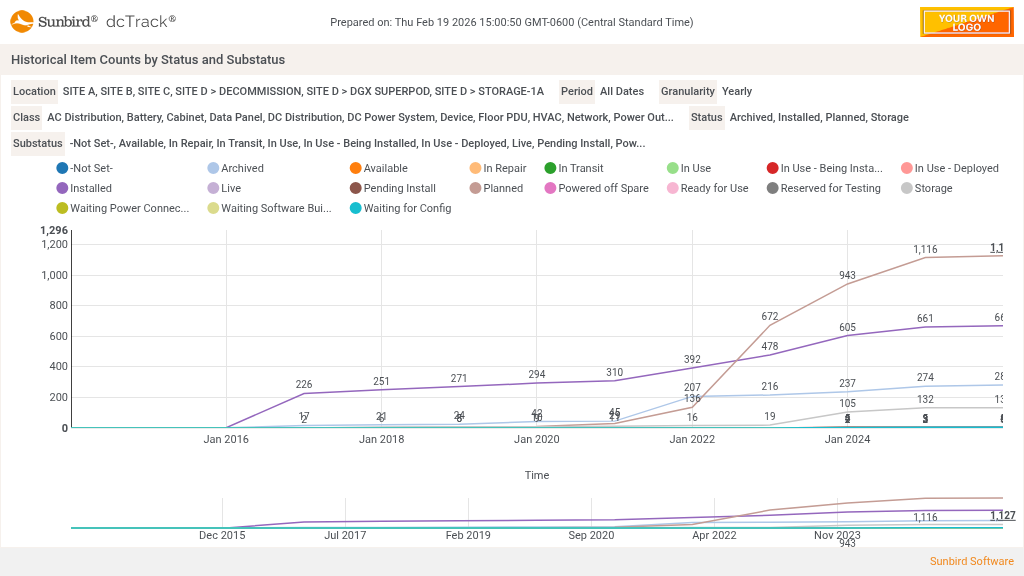
Shows for the period and granularity selected the count of items by location, status and substatus.

Chart Widget - Historical Item Counts by Status and Substatus
Additional Info
- Date Created: Thursday, 12 March 2026
- Category: Items Inventory
-
Dependencies:
This widget uses data from a standard field called Item Substatus. When setting an item's substatus on the Item Details page, the user can select from a user-customizable picklist of item substatus options. To add custom picks to the list of item substatus options, navigate to Settings > Fields Management > Pick List Choices. Select the Item Substatus field and add, edit, delete, or reorder the picks as required.
Download attachments:
- historical_item_counts_by_status_and_substatus.zip (3 Downloads)
Image Gallery